Job Board Overview
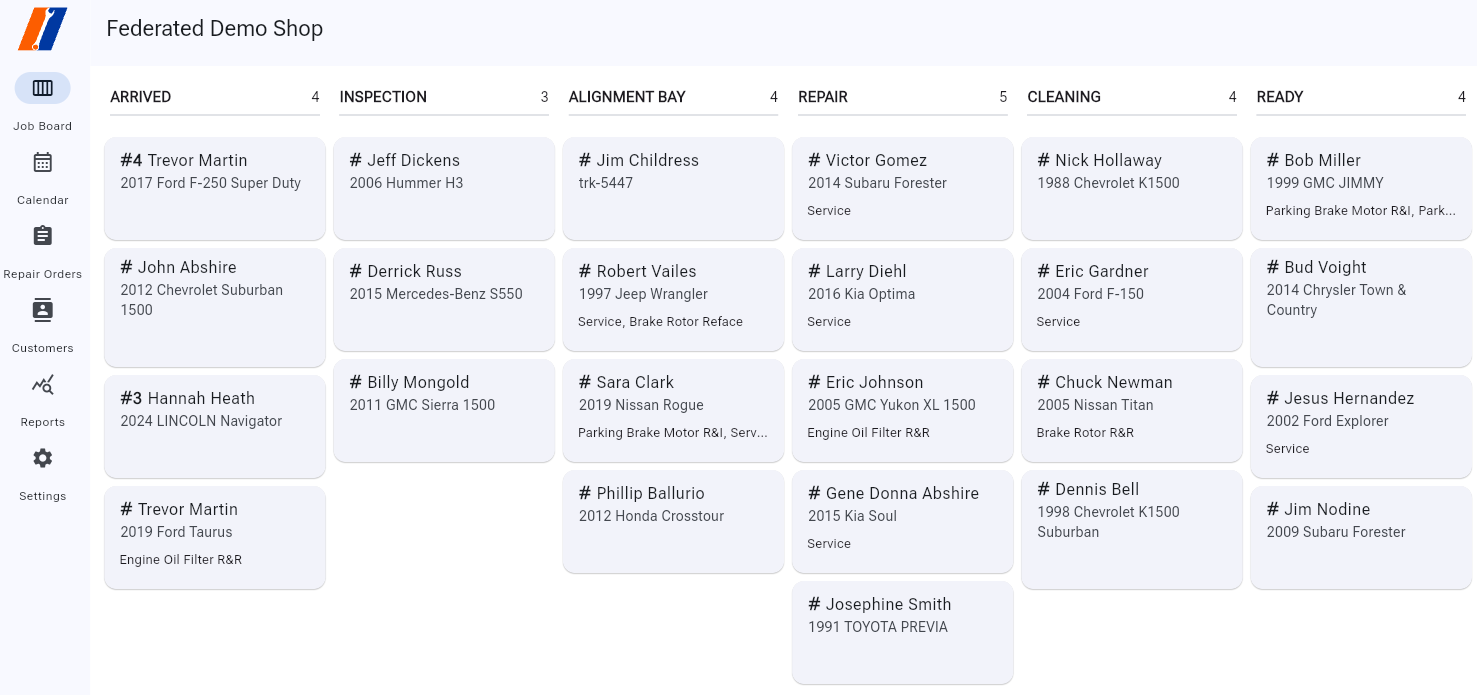
The Job Board is a central hub for managing and tracking service tickets within ServiceProfessional. It provides an intuitive interface to view, update, and organize your work efficiently.
Key Features
Ticket List
The Job Board displays a list of all active tickets assigned to you or your team. Each ticket includes the following details:
Reference Number: A unique identifier for the ticket.
Customer Name: The name of the customer who requested the service.
Vehicle: The customers vehicle being repaired.
Primary Service: The top service on the RO will be listed below the vehicle.
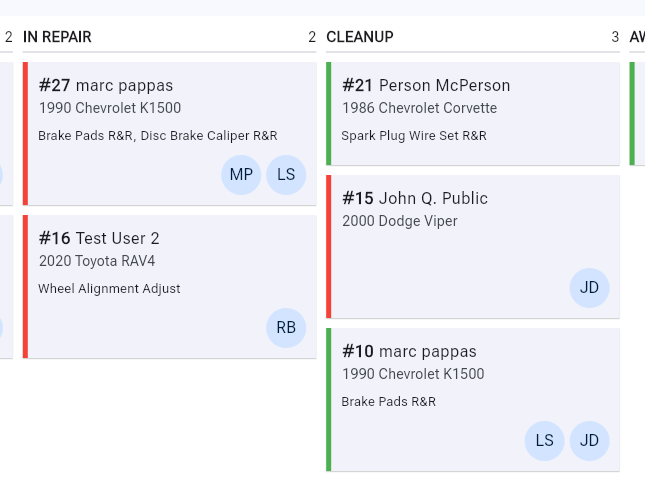
Techician Indicator: If a technician is assigned to a service on an RO, the technicians badge will appear in the lower right corner of the ticket card on the board.
Invoice Approval: Invoices will show a red status bar along the left side of the card until they are ‘Authroized’, at which point they will turn green. Example below.
Job Board - Repair Order Settings
Probably the most important function of the Job Board, is that it is customizable to the workflow of your shop. You setup different columns to represent how a vehicle progresses through your shop.
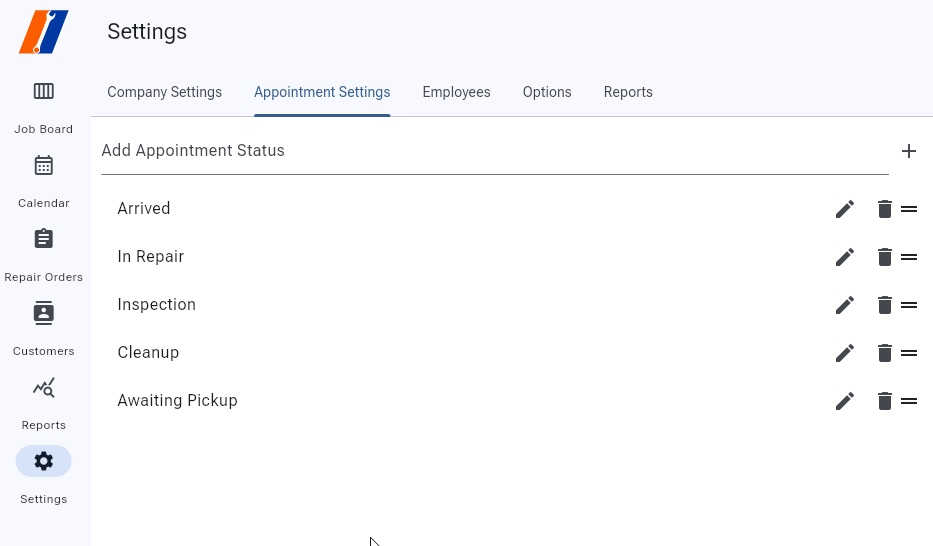
For example, in the image at the top of this page, you can see that we have setup columns for Arrived > Inspection > In Progress > Cleanup > Awaiting Pickup. As a vehicle is worked on and moves through your workflow, you can drag the vehicle’s card to each column to anyone can easily tell at a glance where a car is, and whats happening with it.
TO setup these columns, goto ‘Settings’ on the left sidebar. Click Repair Order Settings along the list of tabs, enter your desired column names in the ‘Add Repair Order Status’ field and click the ‘+’ to add them. Once you have your desired columns added, you can use the ‘=’ icon to grab and drag them into the order that makes sense for your workflow. The top status, will be the far left column and is then your Default status column for new authorized tickets.
Team Collaboration
The Job Board supports team collaboration by allowing multiple users to view and update tickets. Make sure to use the Communications tab on the RO screen to communicate with your team about specific tickets.